
How to Change a Pose in a Photo with a Reference
Choose a pose reference, describe body position and check the edited portrait against your original.
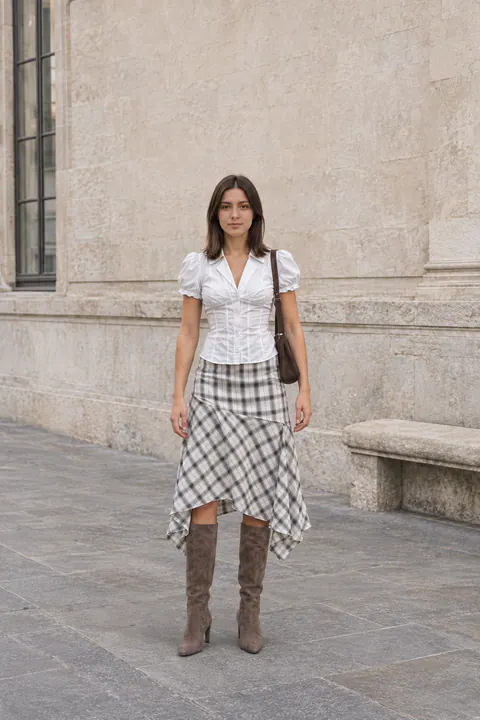
To change a pose in an existing photo, start with your original and a clear description of the body position you want. A pose reference helps when the position is hard to explain, but it should show the relevant arms, legs and torso clearly.
Decide what needs to move
Perhaps the shoulders feel square, the hands look tense or a standing pose does not fit the café scene. Name that issue before choosing a reference. A small turn needs a different instruction from a standing-to-seated change.
Browse eight poses for pictures if you want an idea first. Then open AI Pose Changer with a specific direction in mind.
Pick a reference for geometry
Look at body direction, hand placement and camera angle. The reference does not need the same face or clothes: those belong to your original. A full-body reference is useful for a full-body change. A head-and-shoulders crop cannot show where the feet should go.
For a seated pose, choose a position that fits the furniture in your scene. A high stool and a low lounge chair put the knees and hips in different places. Matching the support surface makes the instruction more coherent.
Try a focused instruction
Turn my body slightly toward the window, with my face toward the camera. Rest my hands loosely on my lap. Keep my face, hair, clothes and the café background from the original photo.
Or, for a walking portrait:
Show a small step forward along the path, with relaxed arms. Keep my outfit and the original setting. Leave space in front of my direction of travel.
These prompts are starting examples. Describe your own scene rather than copying a window or path that is not there.
Compare the original and edit
Check the pose first, then the face and clothing. Look at both hands, the number and placement of limbs, the chair or ground contact, and nearby objects. A changed body position can expose areas that were hidden in the source.
If you only want the arm moved, say so in the next instruction instead of asking for an entirely new pose. Return to the original when trying a different direction so earlier changes do not become your only reference.
When a retake is easier
If you are still at the location, take another frame with a simple action: adjust a sleeve, turn toward someone or walk a few steps. Canon’s portrait posing guidance offers examples of relaxed arm positions. For a beach session, use our shoreline and light ideas.
Can I change the background at the same time?
You can describe a broader edit, but decide which change matters most. If the task centers on combining a person and a different location, start with combining photos into one scene. For a photo whose setting already works, keep the pose brief focused and begin in AI Pose Changer.